
Everything inside BundleWala, without the stock screenshots.
A real catalogue, a real comparison table and a real on-device assistant. Here is what each part does, and what it deliberately does not do.
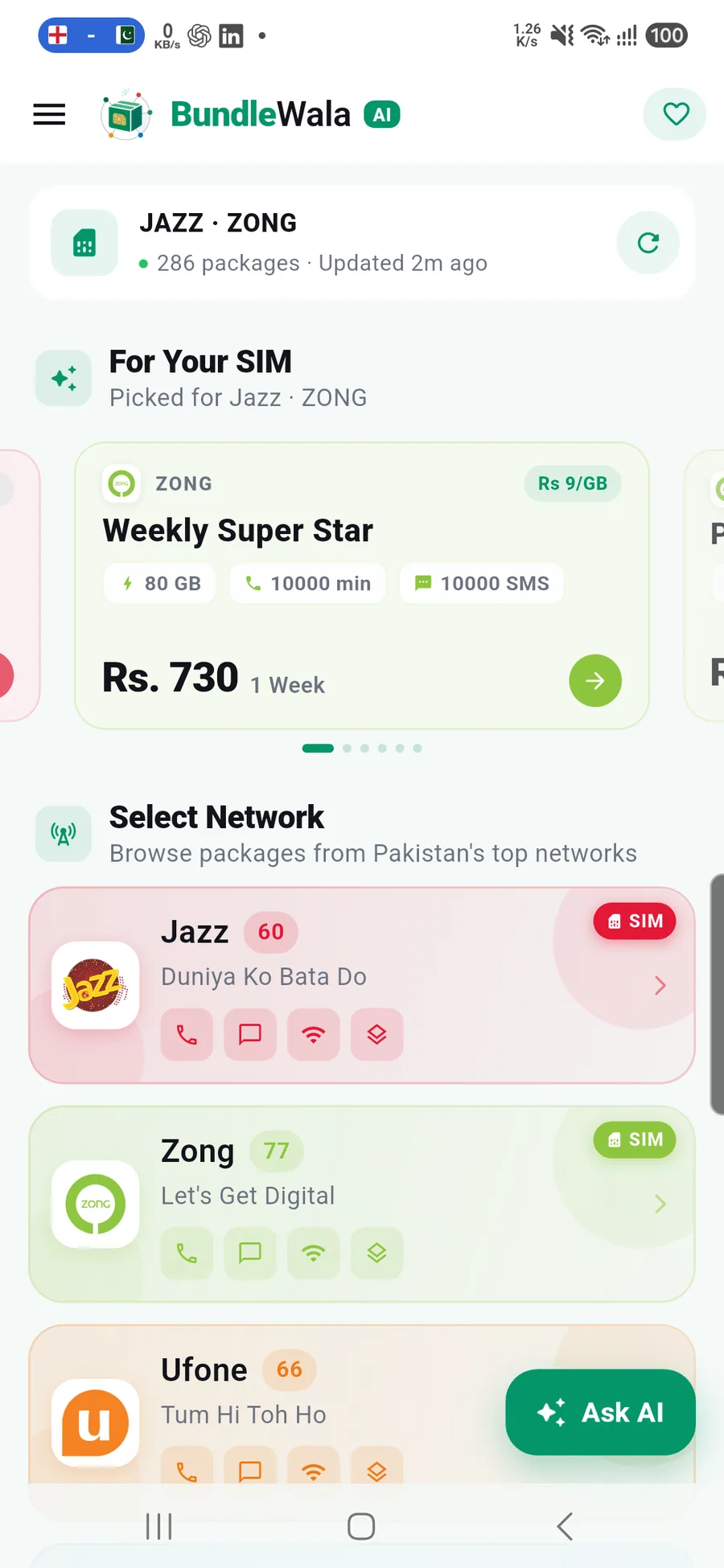
286 offers. Five networks. One honest list.
Prepaid, postpaid, hybrid, internet, social and the one genuinely free offer — in the same catalogue, with the same detail. No separate spreadsheet for postpaid and no missing networks.
- Jazz, Zong, Ufone, Telenor and PTCL in one list
- 286 live plans, including 20 postpaid and 1 free offer
- A bundled 71-package seed renders instantly on a fresh install
- Refreshes when the cache is more than six hours old, or on pull-to-refresh
- Carrier colours and counts stay readable in light and dark mode
Offline, by design
The seed is a real catalogue, not a loading placeholder. Open the app on a plane and you still get plans, details and codes.
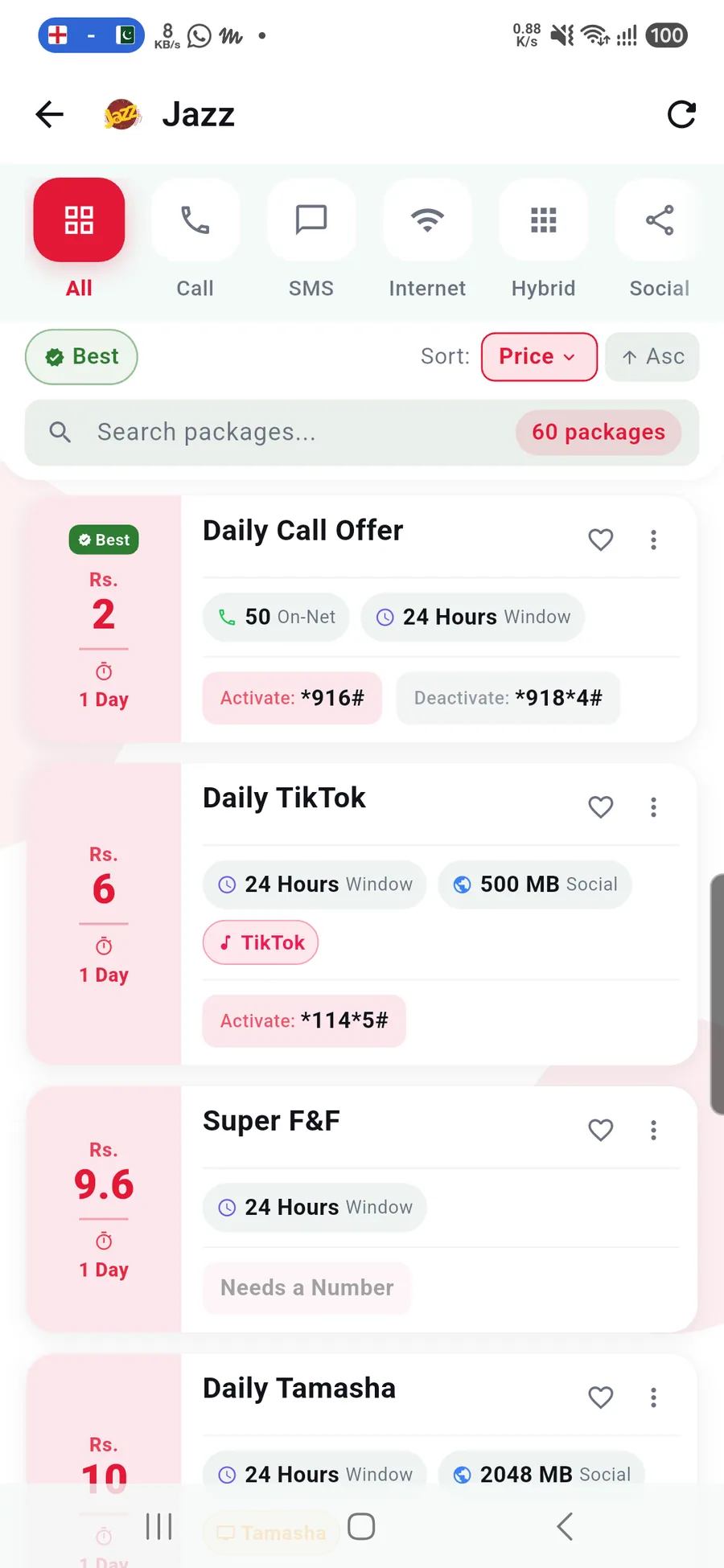
Find it by name, code or constraint.
Type a package name or an activation code, or narrow the list with network, category, validity and budget filters. Then open the offer and see everything that matters on one screen.
- Search across names, codes and tags
- Filter by network, category, validity, postpaid and free
- Sort by price, price per day, data, minutes, SMS, newest or oldest
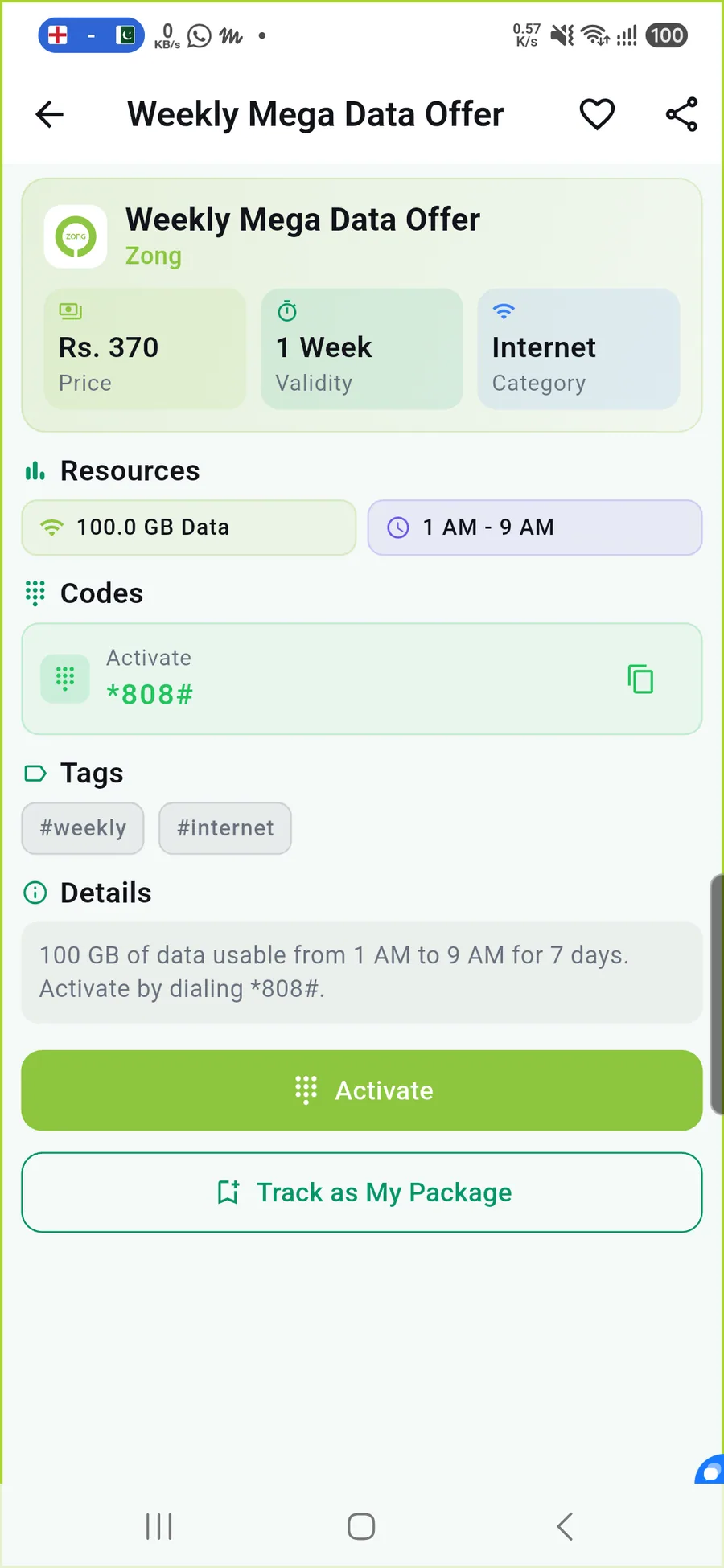
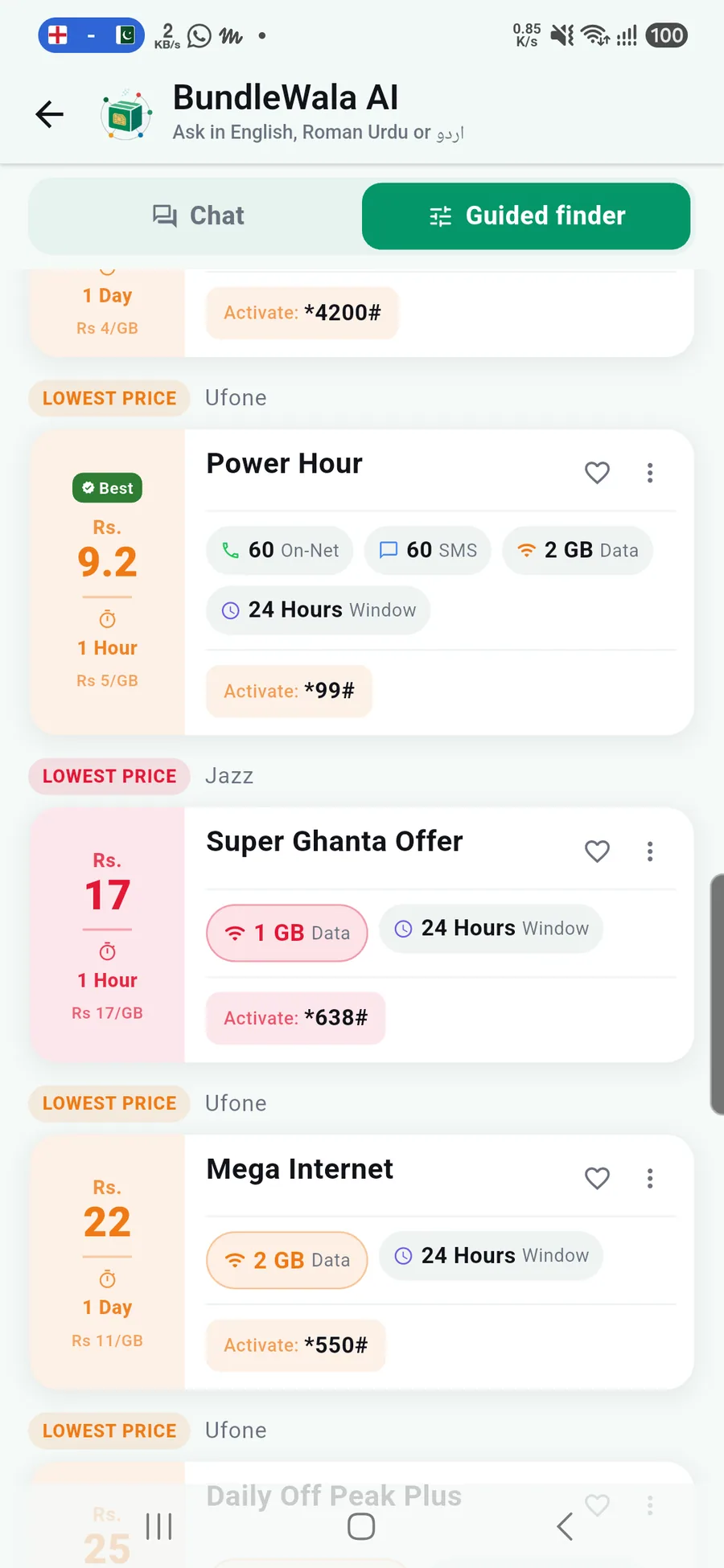
- See price, validity, category, resources and time-of-day limits
- Copy the activation code, dial it, or follow app-only and SMS instructions
Codes can change. The detail screen is a convenience, not a guarantee — always confirm with your network before activating.
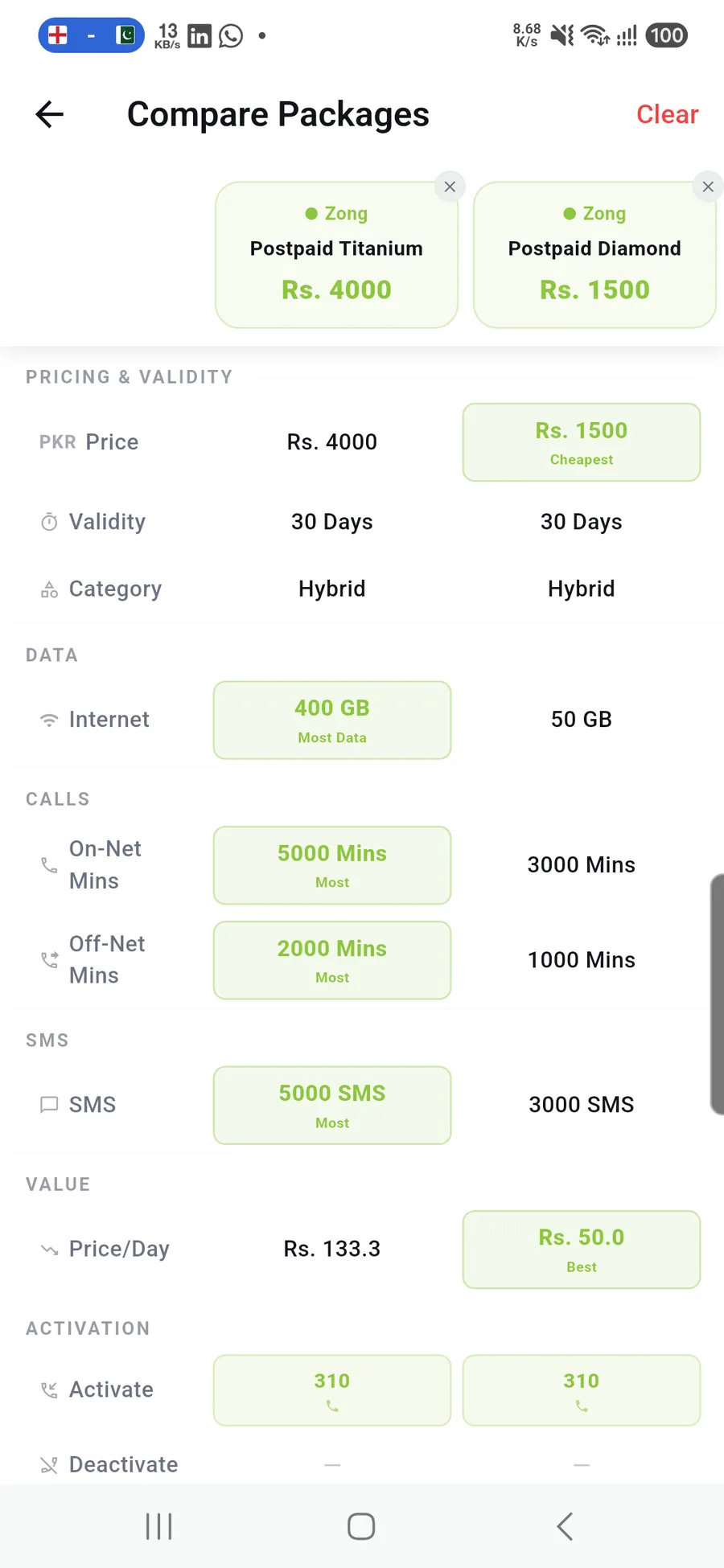
Three plans. Aligned rows. No mental math.
Select up to three packages and BundleWala lines up the numbers that decide the purchase. The highlights are specific: cheapest price, most data, most minutes, most SMS and best price per day.
- Up to three packages in one comparison
- Price, validity and category aligned first
- Data, on-net and off-net minutes, SMS and value per day
- Activation and deactivation rows in the same table
- Highlights only when the winner is unambiguous
Compare sessions end when you leave the screen, so the next comparison starts clean.
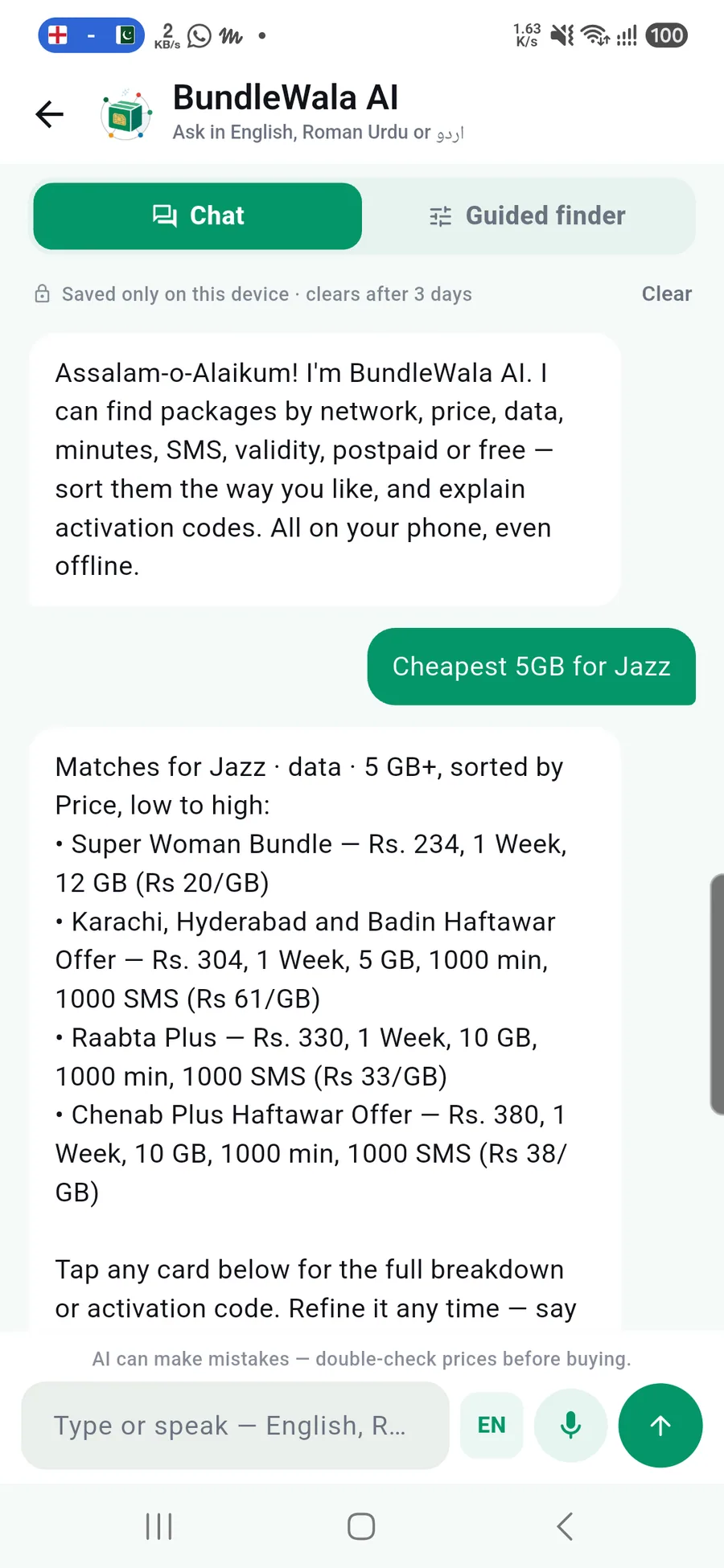
A conversation, not a search box with a costume.
Ask in plain English or Roman Urdu. The assistant parses network, category, validity, budget, data, minutes and free/paid intent, then applies the same scope to every result. It is built on the catalogue — not on a paid language model.
- Conversation memory: the last 10 questions stay in scope
- “Only under 1000” and “sirf monthly” refine the previous search
- A self-contained “show me…” question deliberately starts fresh
- Answers include price, validity, data, minutes and Rs/GB
- Speech input uses your device's recogniser; typing always works
Chat needs a free account. The guided finder does not.
The sign-in gate explains the reason and offers a guest shortcut. After login you return to the assistant, not to a blank home screen.
Deterministic, on-device retrieval
No model API. No prompt leaves your phone.
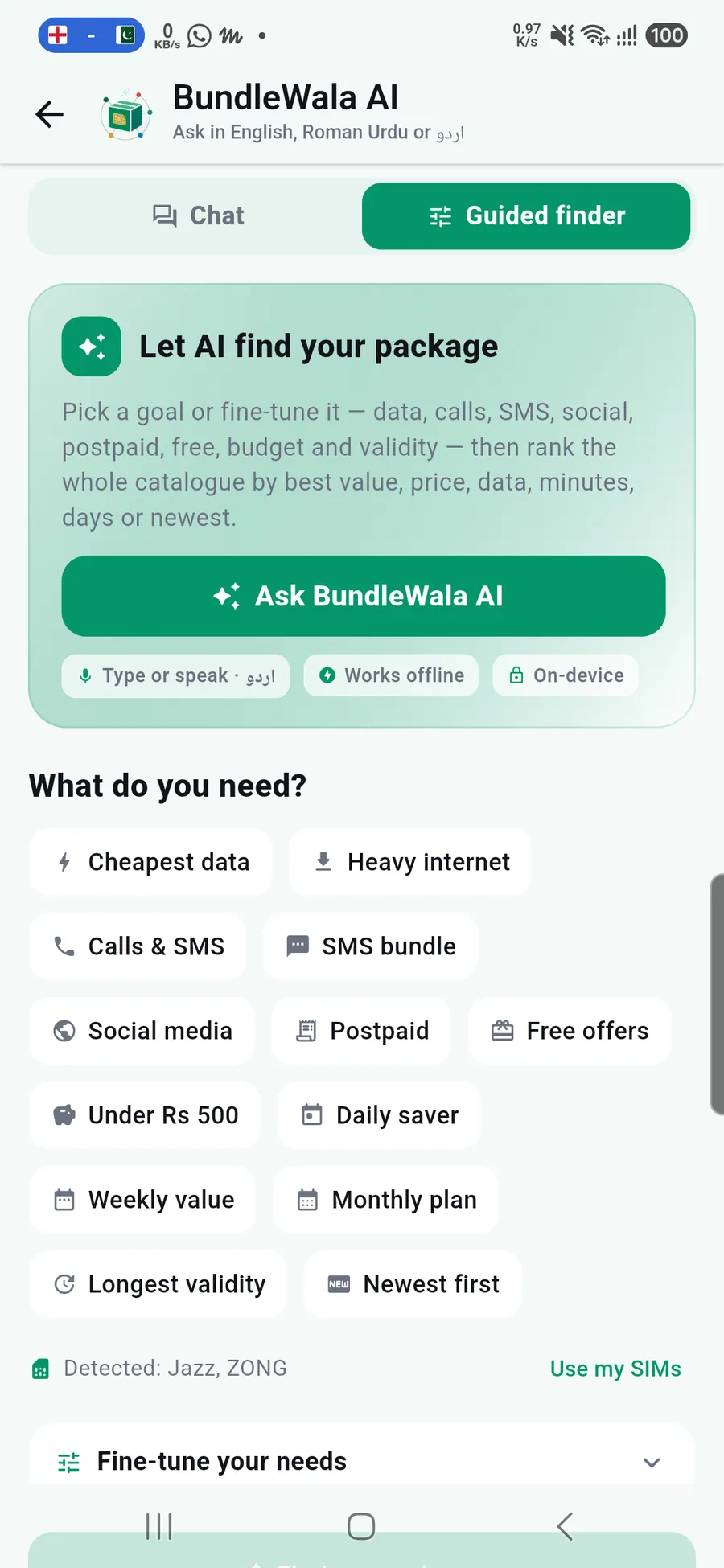
Not sure what to ask? Start with what you need.
Guided finder turns goals into filters without typing a sentence. Pick cheapest data, calls and SMS, social, postpaid, free offers, a budget or a validity, then fine-tune the priority. It is available to guests.
- Cheapest data, heavy internet, social media, calls & SMS or SMS bundle
- Postpaid, free offers, under Rs 500 or a daily/weekly/monthly validity
- Rank by best value, price, data, minutes, days or newest
- Detected SIMs are suggested, not required
- No account and no chat history needed
Keep the useful things close.
The plans you use should not disappear into a list of 286. Favourite them, track the one that is active, and keep the context when you switch phones.
Favourites
Save a plan locally. Sign in and the list syncs across devices when a connection is available.
Package trackers
Add the package you activated and see the days left. Trackers survive a reinstall when you are signed in.
New-plan notifications
Opt in to a notification when new packages are added. Tapping it opens the relevant package.
The rest of the app is not filler.
Dark mode, a telecom reading feed, share cards and a recent history. Each one exists because the core flow needed it.
Blog feed
Telecom news and guides, paginated and opened in-app. Needs a connection; the catalogue does not.
Push notices
One topic for new packages. No promotional noise, and permission is requested once.
Dark mode
Follow the system or set light or dark explicitly. Carrier colours keep their contrast.
Share & recent
Share a clean package card, or jump back into something you viewed recently.
Ready when BundleWala is.
The app is in final pre-release checks. Leave your email and we will send one message when the Google Play listing goes live.
One email. No store link yet.